


 www.NicolaeHerlea.com


 THE OFFICIAL SITE - SIT OFICIAL - OFFIZIELLE WEBSITE
contact[at]nicolaeherlea.com
THE OFFICIAL SITE - SIT OFICIAL - OFFIZIELLE WEBSITE
contact[at]nicolaeherlea.com
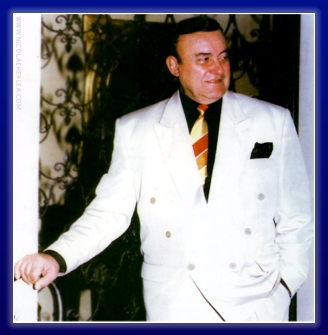
 www.facebook.com/NicolaeHerlea
 www.instagram.com/Nicolae_Herlea
 IMPRESSUM
www.NicolaeHerlea.com
THE OFFICIAL SITE - SIT OFICIAL - OFFIZIELLE WEBSITE
contact[at]nicolaeherlea.com
www.facebook.com/NicolaeHerlea
www.instagram.com/Nicolae_Herlea
IMPRESSUM
IMPRESSUM
www.NicolaeHerlea.com
THE OFFICIAL SITE - SIT OFICIAL - OFFIZIELLE WEBSITE
contact[at]nicolaeherlea.com
www.facebook.com/NicolaeHerlea
www.instagram.com/Nicolae_Herlea
IMPRESSUM